If you no longer want to pay for ChatGPT Plus, you can cancel it in a few minutes. This guide shows you how to cancel your ChatGPT subscription on a computer, iPhone, or Android phone, plus what happens after you cancel.
What Is ChatGPT Plus?
ChatGPT Plus is the paid plan from OpenAI. It costs $20 per month and gives you faster answers, priority access during busy times, and access to OpenAI’s newest models.
If you do not use these extras much, the free plan may be enough for you. You can cancel Plus at any time and keep using the free version.
Why People Cancel ChatGPT Plus
- Cost: $20 a month adds up if you rarely use it.
- Light use: The free plan is enough for simple questions.
- Billing problems: Double charges or payment errors.
- Privacy: You would rather not keep your card details online.
How to Cancel ChatGPT Subscription on Desktop
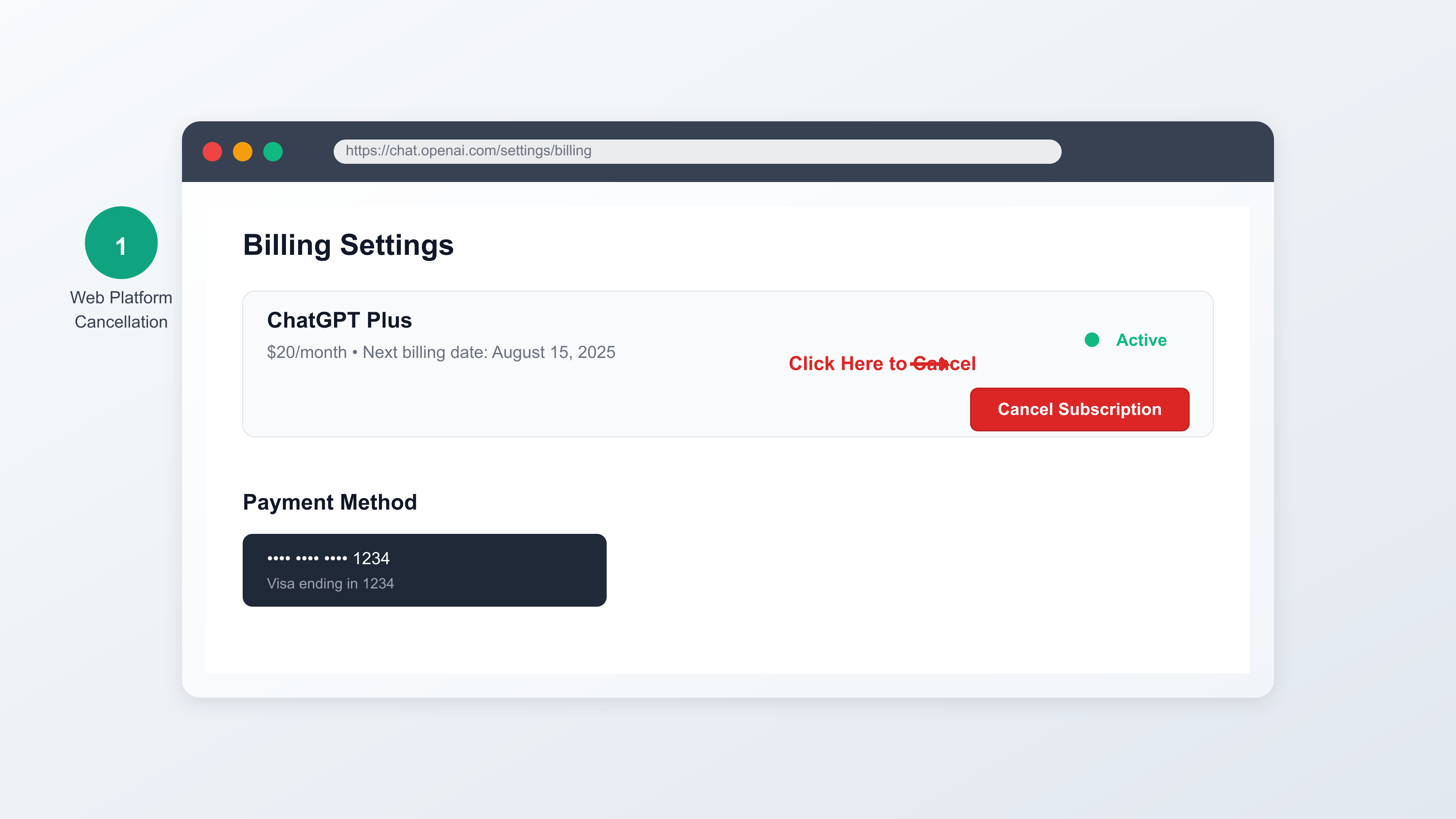
Follow these steps to cancel on a computer:
- Go to chatgpt.com and log in to your account.
- Click your profile picture in the bottom-left corner, then click Settings.
- Open the Subscription tab and click Manage. This opens the Stripe billing portal.
- Click Cancel subscription (or Cancel plan) and confirm your choice.
- Check your email for a confirmation message from OpenAI or Stripe.
How to Cancel ChatGPT Plus on iPhone
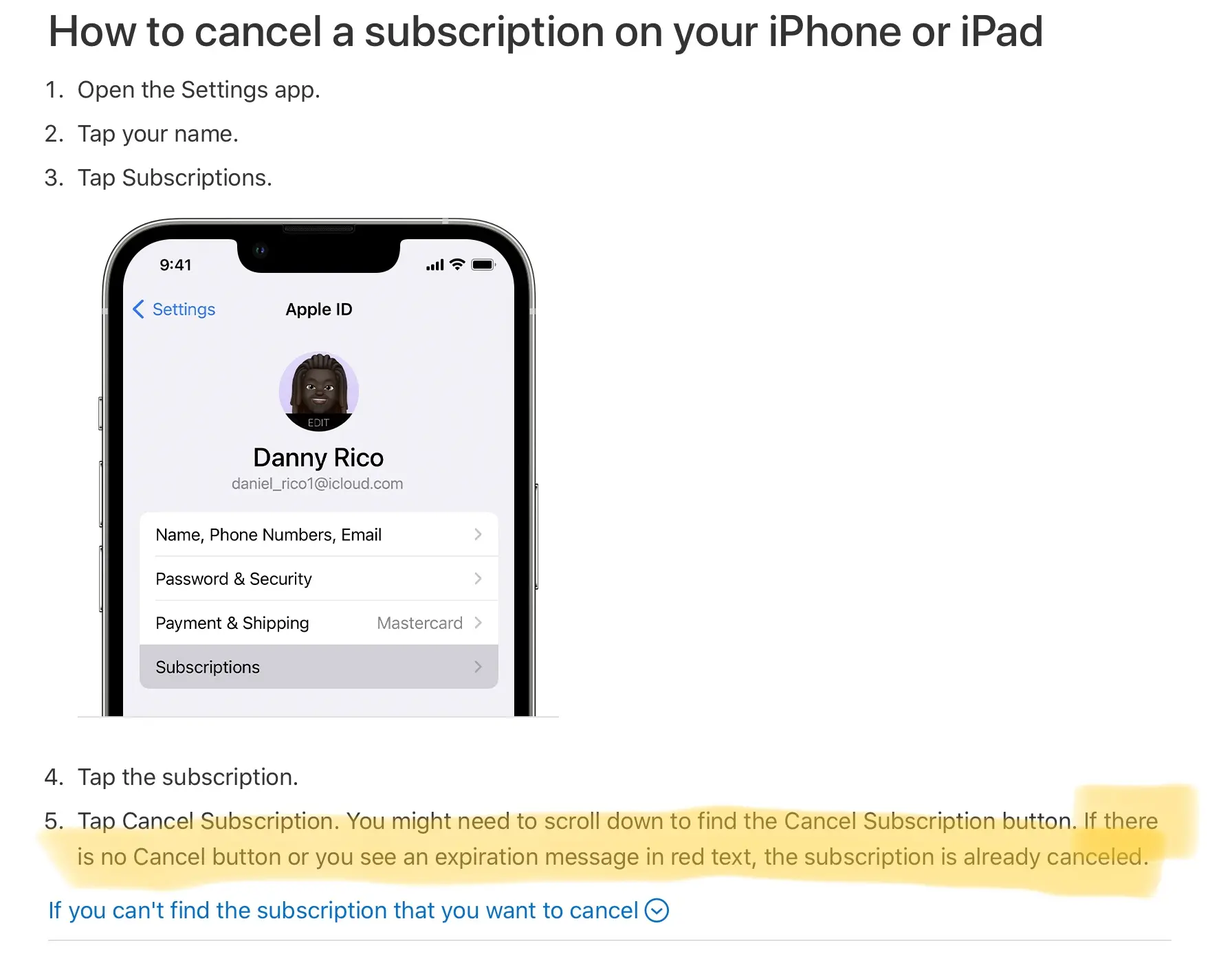
If you subscribed through the Apple App Store, you must cancel in your iPhone settings:
- Open the Settings app.
- Tap your name at the top.
- Tap Subscriptions.
- Find ChatGPT in the list.
- Tap Cancel Subscription and confirm.
Apple will send you an email to confirm, and you will not be charged again.
How to Cancel ChatGPT Plus on Android
If you subscribed through Google Play, cancel it in the Play Store app:
- Open the Google Play Store app.
- Tap your profile picture in the top-right corner.
- Go to Payments & subscriptions, then Subscriptions.
- Select ChatGPT.
- Tap Cancel subscription and follow the prompts.
Your Plus plan stays active until the end of the current billing period.
Not Sure Where You Subscribed? Check the Billing Portal
- Go to chatgpt.com and log in.
- Go to Settings, then Subscription, then Manage.
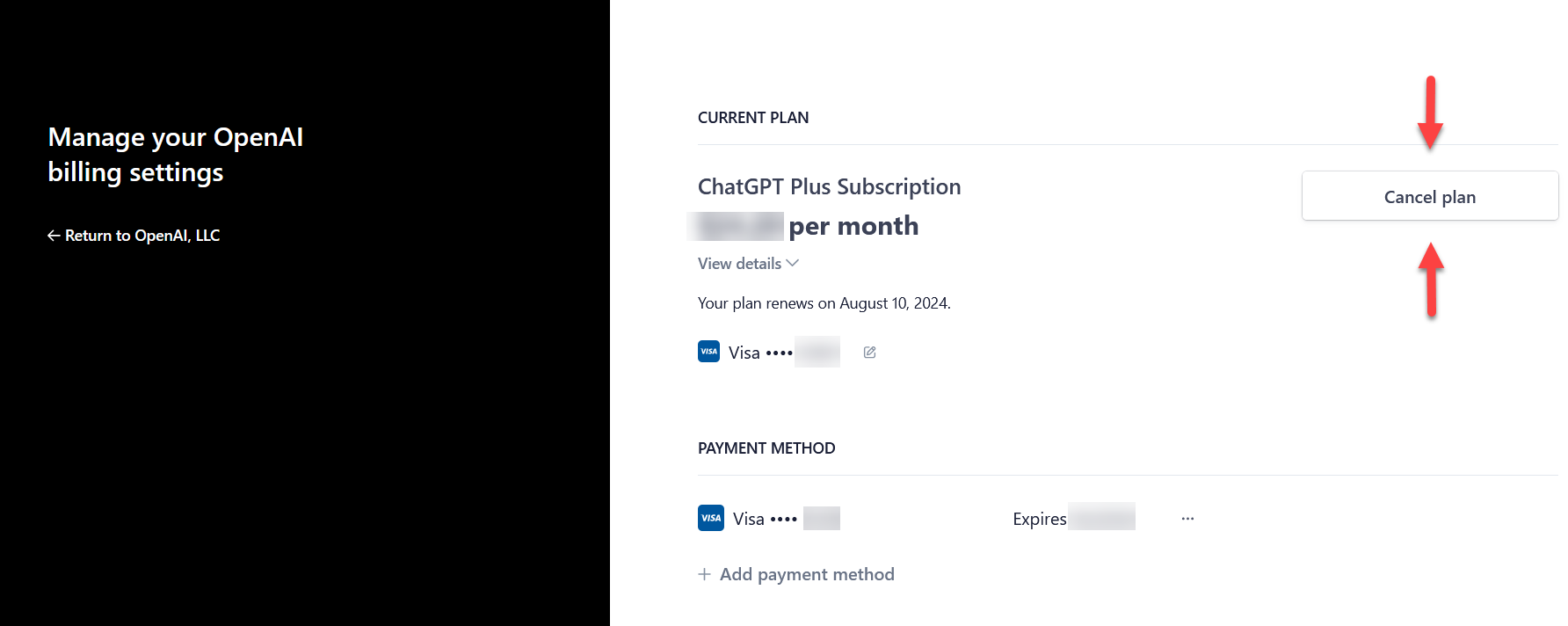
- In the billing portal you can see all invoices, your payment method, and the renewal date. Click Cancel plan to stop future charges.
This is the most reliable way to stop ChatGPT Plus billing if you subscribed directly through OpenAI.
What Happens After You Cancel
- You keep all Plus features until the end of your current billing period.
- After that, your account moves to the free plan automatically.
- You do not lose your chat history or settings.
- You will not be charged again unless you subscribe again yourself.
Can You Get a Refund?
OpenAI usually does not give refunds for payments that already went through. You can still ask:
- Contact OpenAI support at help.openai.com and include your payment receipt and the reason for the refund. Refunds are usually only given for billing errors or double charges.
- If you subscribed through Apple or Google Play, request the refund from Apple or Google instead.
Common Problems When Cancelling
- The Manage button is missing: Make sure you log in with the same method you used when you subscribed (email, Google, Microsoft, or Apple).
- You were still charged: If you cancelled before the renewal date, the last payment may have already gone through. Wait until the renewal date passes and check again.
- No confirmation email: Check your spam or junk folder, or open the Stripe billing portal to confirm the cancellation.
How to Contact OpenAI Support
- Visit help.openai.com.
- Click the chat icon in the bottom-right corner.
- Choose Billing as the topic and describe your problem.
Support usually replies within 24 to 48 hours.
Frequently Asked Questions
Can I pause my ChatGPT Plus subscription instead of cancelling?
No. ChatGPT does not offer a pause option. You must cancel and subscribe again later if you want.
Will I lose my chat history after I cancel?
No. Your chat history stays on your account.
Can I still use the newest models after I cancel?
No. Access to the newest models is only for Plus subscribers. The free plan uses the standard model.
I subscribed through Apple or Google. Where do I cancel?
Cancel directly in your Apple subscriptions or Google Play subscriptions, not on the OpenAI website.
Can I cancel at any time?
Yes. You can cancel anytime with no penalty.
Final Thoughts
Cancelling ChatGPT Plus is quick and safe on desktop, iPhone, and Android. Just remember to cancel through the same place where you subscribed, and check your email for confirmation so you are not charged again.
If you are a student looking for free AI tools after cancelling, read our guide on why students need AI tools.